
01
Live captions
Capture permitted audio or select on-screen subtitles, then show a movable, resizable, dismissible bilingual overlay.
Caption overlay · Audio/screen · Context segmentationLIVE CAPTIONS AND TRANSLATION
Understand what is playing and translate the files in front of you.
Show movable bilingual captions for films, streams, meetings, and voice chats; translate text and documents; or create SRT, VTT, ASS, and TXT subtitles from video.
Android 10+ · Windows 10 2004+ x64 · Local mode can work offline
Try without signing in
RTT first uses the browser's local translation capability. If this device already has a local model or translation API configured, the home page can use that route too.
RTT ACCOUNT
Register with email or GitHub. The Web app translates text and files, reads shared-screen subtitles, and connects to APIs or authorized local models.
Open Web workspaceUse live captions while watching or listening. Use the translator for text and files. Both can use local models or online services.
01
Capture permitted audio or select on-screen subtitles, then show a movable, resizable, dismissible bilingual overlay.
Caption overlay · Audio/screen · Context segmentation02
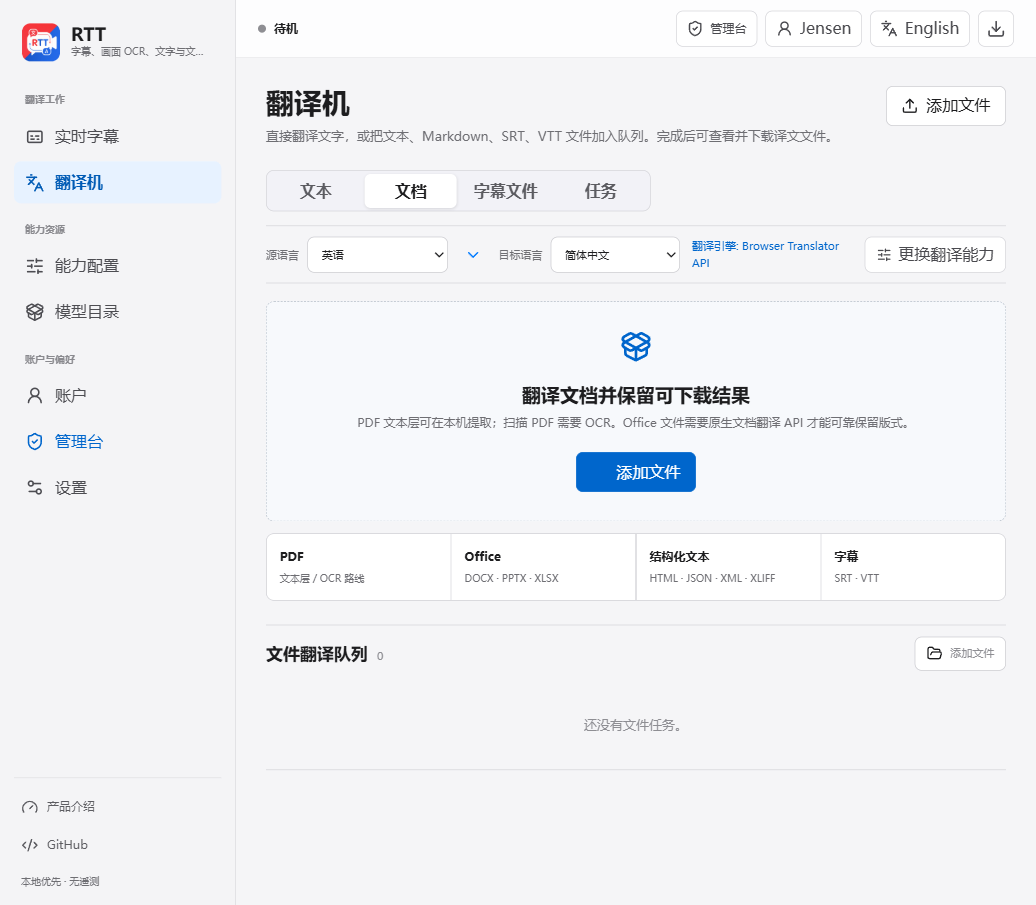
Translate a paragraph, process PDFs and Office files, or create downloadable translated subtitles from video.
Text · Documents · Video subtitles · JobsRTT TRANSLATOR
RTT inspects the file and the active route first: Web and Windows extract PDF text layers, Android can OCR scanned pages on device, SRT/VTT timing stays intact, and Office files are uploaded only when the selected service declares native document translation support.
Open translatorWeb and Windows extract text layers; Android can OCR pages. Empty scans get an explicit OCR or native-document route message.
Native APIs such as DeepL use upload, status polling, and result download. Text-only models are never presented as layout-preserving.
SRT and VTT keep indexes and timing. TXT, Markdown, HTML, JSON, XML, and XLIFF are also accepted.
Extract audio locally and export SRT, VTT, ASS, or TXT with translated-only or bilingual cues. Cloud ASR receives audio only after consent; frames are never uploaded.
Track analysis, extraction, OCR, translation, and rebuild stages, then preview text or download binary results.
Live mode places an independent caption layer above a player or chat app. File mode reads the audio track and creates a separate subtitle without altering the video.
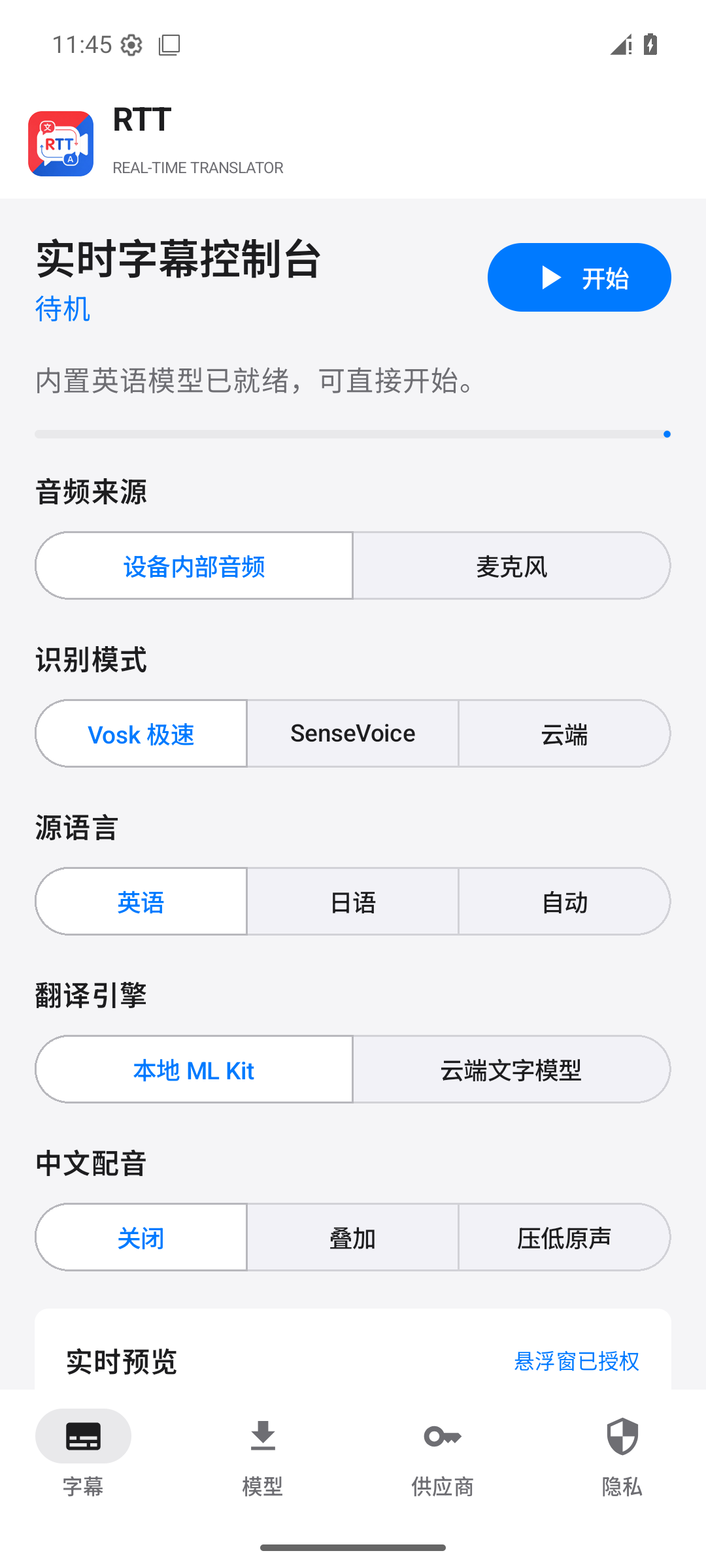
Use speech, screen subtitles, or both together.
Select local models, or choose separate cloud profiles for speech and text translation.
Grant recording, overlay, and screen-capture permissions. Screen subtitles need a region selection first.
Speech and screen features are independent, so you only configure what a situation needs.
Capture permitted app audio and show source text with Simplified Chinese captions.
Use the microphone to hear remote speech played through a speaker. Protected call audio cannot be captured directly.
Select the subtitle area on screen. On-device OCR waits for stable text before translating, and can run with speech.
The app keeps model downloads and manual selection available. The package includes core offline capability; other models download only when you choose them.
Speed-first. Download English, Japanese, and more single-language models as needed.
The default accurate local multilingual route for English, Chinese, Japanese, Korean, and Cantonese.
Covers a broad range of languages and falls back to language-aware sentence rules when punctuation is unavailable.
Optional high-accuracy ASR, about 879 MB, for high-memory Android devices and Windows.
Use ML Kit packs, validated Marian ONNX packages, DeepL, Baidu Translate, or LibreTranslate for text translation.
The release page contains APKs, Windows installer or portable packages, and matching SHA-256 checksums.
App audio or microphone input, floating captions, selected screen subtitles, model management, transcripts, and video-to-subtitle jobs. Live translation runs in a foreground service after you leave the app.
Use system audio or a microphone, keep captions always on top, use tray controls and local models, and process text, PDF, Office, subtitles, and video-to-subtitle jobs.
RTT collects no telemetry. Diagnostics are off by default and never record audio, caption text, or API keys. Local mode uploads nothing; cloud mode identifies the active capability, model, and provider.